<?xml version="1.0" encoding="utf-8"?><feed xmlns="http://www.w3.org/2005/Atom" ><generator uri="https://jekyllrb.com/" version="4.4.1">Jekyll</generator><link href="https://playingwithpackets.com/feed.xml" rel="self" type="application/atom+xml" /><link href="https://playingwithpackets.com/" rel="alternate" type="text/html" /><updated>2026-07-17T15:37:32+00:00</updated><id>https://playingwithpackets.com/feed.xml</id><title type="html">Playing with Packets</title><subtitle>Detection writeups, adversary infra research, deception, and threat hunting.</subtitle><author><name>Tyler Bohlmann</name></author><entry><title type="html">Reading the Wave: A Tour of Detection Chokepoints Trends</title><link href="https://playingwithpackets.com/blog/reading-the-wave/" rel="alternate" type="text/html" title="Reading the Wave: A Tour of Detection Chokepoints Trends" /><published>2026-07-17T00:00:00+00:00</published><updated>2026-07-17T00:00:00+00:00</updated><id>https://playingwithpackets.com/blog/reading-the-wave</id><content type="html" xml:base="https://playingwithpackets.com/blog/reading-the-wave/"><![CDATA[<p>A detection can remain technically correct and still cover less of what threat actors are doing.
The invariant hasn’t moved, but the delivery methods, exploitation activity, or infrastructure
around it have. Tracking those shifts over time gives us a chance to check our telemetry and tune
our hunts before the same behavior reaches our own environment.</p>

<p>The <a href="/blog/detection-chokepoints-where-to-start/">first post</a> in this series made the case for
detecting the part of an attack that can’t change. The <a href="/blog/inside-a-chokepoint-entry/">second</a>
walked through one chokepoint entry. The <a href="/blog/convergence-is-architecture/">third</a> zoomed out to
the attack-chain level and looked at where unrelated operators land on the same techniques. This
one is about the part that <em>does</em> change.</p>

<p>The <a href="https://iimp0ster.github.io/detection-chokepoints/trends/">Trends page</a> tracks the movement
around a chokepoint: which payload cradles are gaining use, which exploit campaigns are moving from
recon to weaponization, and which infrastructure traits survive after a fake download domain gets
burned. The chokepoint tells you where to anchor a detection. Trend data tells you what needs tuning
around that anchor right now.</p>

<h2 id="tldr-for-busy-defenders">TL;DR for busy defenders</h2>

<ul>
  <li>Treat trend data as a tuning input, not an internet-wide prevalence score. Keep the detection
pinned to the invariant and use the movement around it to decide which variations need attention.</li>
  <li>For ClickFix, anchor on the unusual parent → interpreter relationship. Keep network-fetch and
inline decode-and-execute coverage in parallel, and don’t retire an old cradle rule just because
its line briefly drops to zero.</li>
  <li>For exposed edge devices, watch the change from reconnaissance to weaponized exploitation. Check
your inventory, patch state, and appliance logging before chasing source IPs.</li>
  <li>A fake software domain is the start of a masquerading hunt, not the finish. Pivot through reused
favicons, signers, and backend paths, then move the final detection to execution behavior that
survives the next brand or domain change.</li>
</ul>

<p><strong>A note on the data:</strong> this is a best-effort analysis, and it may be incomplete. I’m one person
aggregating sources that cover different windows and have different blind spots. Some records and
classifications will be incomplete or wrong, and the findings may change as the datasets improve.</p>

<p>The point is what defenders can do with the data available to them. Free sources, paid sources when
they’re affordable, and datasets we collect ourselves can expose a technique shift or an
infrastructure pattern before the same activity reaches our own environment. It won’t predict every
campaign, but a repeated pattern can give us time to verify visibility and decide whether to tune a
hunt or close an exposure before it reaches us.</p>

<figure class="post-screenshot">
  <div class="post-screenshot-frame">
    <a href="/assets/img/posts/reading-the-wave/trends-overview.png" target="_blank" rel="noopener" aria-label="Open full-size image in a new tab">
      <img src="/assets/img/posts/reading-the-wave/trends-overview.png" alt="The Detection Chokepoints Trends landing page showing four analysis pillars and cards for ClickFix delivery, edge-device exploits, and software impersonation infrastructure" loading="lazy" />
    </a>
  </div>
  
  <figcaption>The Trends landing page. Payload prevalence, technique shifts, malicious infrastructure, and time-series data all answer the same operational question: what should I change in my detection program because of what moved?</figcaption>
  
</figure>

<h2 id="a-trend-needs-to-change-a-defensive-decision">A trend needs to change a defensive decision</h2>

<p>Security reports are full of rising percentages. A technique is up, a malware family is down, and
some sector is being targeted more than another. Those numbers can be useful, but only if they lead
to a decision. Otherwise they are threat-intelligence trivia.</p>

<p>The Trends section is built around a stricter test: after reading the data, what would I deploy,
tune, validate, or prioritize differently?</p>

<p>That also means the pages are not trying to measure the entire internet. Each dataset has a
collection boundary. ClickGrab sees what its crawlers find. Defused sees what reaches its decoys.
My software-impersonation data sees what a set of passive hunts and public reports can validate.
Those are three different windows, not three interchangeable prevalence studies. The collection
method stays attached to the result so a defender can judge what the number actually supports.</p>

<h2 id="clickfix-watch-the-delivery-method-rotate">ClickFix: watch the delivery method rotate</h2>

<p>The <a href="https://iimp0ster.github.io/detection-chokepoints/trends/clickgrab/">ClickFix trend analysis</a>
combines two datasets that cover different parts of the problem. <a href="https://github.com/mhaggis/ClickGrab">MHaggis ClickGrab</a>
provides nightly crawl volume across more than 25,000 sites. <a href="https://clickfix.carsonww.com/">ClickFix Hunter</a>
provides the per-domain clipboard commands needed to classify what the lure tells the victim to run.</p>

<p>One gives scale. The other gives behavior. Putting them together turns a pile of malicious domains
into a time series of execution choices.</p>

<figure class="post-screenshot">
  <div class="post-screenshot-frame">
    <a href="/assets/img/posts/reading-the-wave/clickfix-overview.png" target="_blank" rel="noopener" aria-label="Open full-size image in a new tab">
      <img src="/assets/img/posts/reading-the-wave/clickfix-overview.png" alt="The ClickFix Delivery Chain trend page showing dataset totals and the five-stage Detection Chokepoint Framework from lure rendering through execution and cleanup" loading="lazy" />
    </a>
  </div>
  
  <figcaption>The ClickFix dataset mapped back to the attack chain. The lure and cradle rotate, but process execution remains in the middle of every path.</figcaption>
  
</figure>

<p>The cradle chart is the easiest example of why this matters. IWR and IEX dropped as WebClient and
<code class="language-plaintext highlighter-rouge">curl</code> rose in December 2025, then IWR returned in March. If I had treated the first drop as the end
of IWR-based delivery and removed the rule, I would have created the gap myself. Tradecraft does not
move in one direction. Operators reuse whatever is cheap and working again.</p>

<p>The same data catches larger changes. MSIExec delivery jumped to 87 percent of observed domains in
November, which broke PowerShell-only coverage while leaving the clipboard-to-execution chokepoint
intact. By May 2026, 92 percent of observed domains carried no URL in the clipboard command. Inline
encoded payloads removed the network fetch that many ClickFix detections expected. A WebDAV variant
went farther and used <code class="language-plaintext highlighter-rouge">conhost --headless</code> with a UNC path, avoiding both PowerShell and an HTTP URL
in the pasted command.</p>

<p>None of those changes make ClickFix undetectable. They tell us which layer became brittle.</p>

<p><strong>How to use it:</strong> keep the unusual parent-to-interpreter rule as the anchor, then run parallel
coverage for the current delivery branches. That means a network-fetch rule for traditional
cradles, decode-and-execute coverage for Base64 and hex-XOR payloads, and process creation coverage
for MSIExec, <code class="language-plaintext highlighter-rouge">mshta</code>, and headless <code class="language-plaintext highlighter-rouge">conhost</code> from Run-dialog or terminal context. Use the monthly
chart to change the priority and expected volume of those hunts, not to delete coverage when a line
temporarily reaches zero.</p>

<p>The data also helps with validation. If a campaign rotates from IWR to <code class="language-plaintext highlighter-rouge">curl</code>, replay both branches
in the lab. A chokepoint claim is stronger when a new variation arrives and the behavioral rule
still fires. If it does not, the trend page has found a real coverage gap instead of another string
to add to a blocklist.</p>

<h2 id="defused-separate-scanning-from-committed-exploitation">Defused: separate scanning from committed exploitation</h2>

<p>The <a href="https://iimp0ster.github.io/detection-chokepoints/trends/edge-exploits/">edge-device exploit analysis</a>
starts with <a href="https://defusedcyber.com/">Defused Cyber</a> honeypot telemetry. The current page covers
25,420 high and critical exploit attempts across more than 25 decoy types, collected in two windows
from March 14 through May 19, 2026. More than 50 CVEs appear in the aggregate.</p>

<p>Raw volume is the obvious chart to build from that data, but it is not the most useful one. A spike
can be one scanner retrying, a public proof of concept spreading, or several operators moving into
weaponized exploitation. Those situations should not produce the same response.</p>

<figure class="post-screenshot">
  <div class="post-screenshot-frame">
    <a href="/assets/img/posts/reading-the-wave/edge-exploits-overview.png" target="_blank" rel="noopener" aria-label="Open full-size image in a new tab">
      <img src="/assets/img/posts/reading-the-wave/edge-exploits-overview.png" alt="The Edge Device Exploit Trends page showing honeypot totals and a five-stage framework from reconnaissance through authentication bypass, credential harvest, webshell deployment, and post-exploitation" loading="lazy" />
    </a>
  </div>
  
  <figcaption>The Defused honeypot data mapped to the exploit chain. Source IPs and CVEs rotate. Authentication bypass, credential access, payload deployment, and outbound staging provide more durable places to detect.</figcaption>
  
</figure>

<p>The page splits targeted reconnaissance from alerts Defused classified as weaponized exploitation.
That creates an early-warning question: for which CVEs did probing appear before the first exploit,
and how much time separated them? It also keeps a high-volume scan from looking more operationally
important than a lower-volume campaign that has already reached webshell deployment.</p>

<p>The Cisco SD-WAN activity is a good example. The honeypots recorded operators moving through
reconnaissance, authentication bypass, webshell upload, and cryptominer deployment. At that point
the useful output is no longer “these IPs scanned a decoy.” It is the set of requests and state
changes each operator had to produce to cross those stages.</p>

<p><strong>How to use it:</strong> first, intersect the targeted products with your external inventory. If a decoy
type is heating up and you own the same product, confirm exposure and patch state before writing a
rule. Then validate that the product’s authentication, HTTP, file-write, and outbound network logs
reach the SIEM. Build detection around the exploit’s required request or state change, and add an
egress hunt for an appliance reaching a new payload host. Source IPs are enrichment. They are not
the durable part of the detection.</p>

<p>The recon-versus-exploit split is also useful for prioritization. A rising recon line can move a CVE
into the next hunt cycle before weaponization reaches your environment. A confirmed exploit chain
should move it out of the backlog entirely. This is one of the few places where a public honeypot
can directly inform patching, telemetry, and detection work without pretending its hit count is a
global victim count.</p>

<h2 id="masquerading-infrastructure-turn-one-fake-site-into-a-hunt">Masquerading infrastructure: turn one fake site into a hunt</h2>

<p>The <a href="https://iimp0ster.github.io/detection-chokepoints/trends/masq-infra/">software-impersonation page</a>
is the dataset I am still building. It tracks infrastructure that impersonates legitimate software
brands to deliver a fake installer or a paste-to-run command. The current view combines five
validated hunts across five brands with an aggregate IOC pipeline. Two hunts have confirmed payload
delivery.</p>

<p>This dataset starts closer to the analyst workflow than the other two. Find one suspicious download
page, validate the delivery chain with passive public telemetry, then ask which artifacts can find
its siblings. A stolen favicon may lead to other fake domains. A code-signing identity may connect
rotated binaries. A reused PHP tracking path can expose the same affiliate kit on another brand.</p>

<figure class="post-screenshot">
  <div class="post-screenshot-frame">
    <a href="/assets/img/posts/reading-the-wave/masquerading-overview.png" target="_blank" rel="noopener" aria-label="Open full-size image in a new tab">
      <img src="/assets/img/posts/reading-the-wave/masquerading-overview.png" alt="The Software Impersonation Infrastructure page showing validated hunt totals and a framework for brand impersonation, payload staging, and victim execution" loading="lazy" />
    </a>
  </div>
  
  <figcaption>The masquerading-infrastructure dataset is still taking shape. The useful unit is not a fake domain by itself, but the path from a brand lure to payload staging and execution, with reusable pivots attached.</figcaption>
  
</figure>

<p>The current hunts show two delivery models aimed at the same general audience. One campaign used a
fake ChatGPT installer, gated the download behind JavaScript, staged it on a CDN, and signed the
binary with a shell-company certificate. Another cloned Claude Code install pages and gave Windows
and macOS users different paste-to-run commands. One puts a signed file in Downloads. The other
tries to skip the file and borrow the trust users already place in terminal installation commands.</p>

<p>Those require different endpoint detections, but the infrastructure research can still produce
durable pivots. The fake ChatGPT page reused the real OpenAI favicon, which made favicon-hash hunting
useful. Its JavaScript called a repeatable tracking backend and returned a per-visitor download URL.
The installer signer outlived any one landing-page domain. On the ClickFix side, <code class="language-plaintext highlighter-rouge">mshta</code> retrieving a
remote HTA and <code class="language-plaintext highlighter-rouge">curl</code> piped into a shell survive a change from Claude to whichever developer tool the
kit copies next.</p>

<p>The failed pivots belong in the dataset too. A Notion favicon search produced thousands of
legitimate third-party sites because Notion is widely embedded and used as a publishing backend.
That is not a bad hunt result. It tells me favicon reuse is not selective enough for that brand, so
the hunt needs title, domain-pattern, file-download, or execution context instead.</p>

<p><strong>How to use it:</strong> start with a confirmed lure and keep discovery separate from validation. Use a
favicon, certificate, redirect path, analytics ID, or backend endpoint to find candidates. Confirm
which candidates actually deliver a file or command. Then translate the delivery behavior into an
endpoint or proxy hunt: a newly downloaded signed installer executing from a user’s Downloads
directory, correlated with recent browser download activity; <code class="language-plaintext highlighter-rouge">mshta</code> fetching from a non-enterprise
domain; or <code class="language-plaintext highlighter-rouge">curl</code> piped to a shell from a terminal. Block the confirmed domains, but do not mistake
that cleanup step for the detection.</p>

<h2 id="what-your-own-dataset-needs">What your own dataset needs</h2>

<p>The three pages use different sources, but they pass through the same basic process. Start by
defining what one row means. Is it a crawled site, a clipboard command, a honeypot alert, a validated
campaign, or an IOC copied from another feed? Keep the collection dates, gaps, filters, and source
attached. Without that context, a chart can look precise while measuring something nobody can
explain.</p>

<p>The observations also need an attack-chain position. The point is not to force every row into ATT&amp;CK. It
is to separate the rotating choices from the required steps. For ClickFix, the cradle family
rotates while user-driven execution stays fixed. For an edge exploit, the CVE and scanner rotate
while the target still has to accept a request, change state, and often retrieve a payload. For
masquerading infrastructure, the brand and domain rotate while the operator still has to stage
something and persuade the victim to execute it.</p>

<p>From there, test whether a movement is a trend or one campaign passing through the collection window. The
May Base64 spike in ClickFix looked enormous, but most of it came from one token in one campaign and
collapsed the next month. Hex-XOR persisted across several months. Those should not receive the same
weight in a roadmap.</p>

<p>The last step is attaching a defensive action. Every chart should end in a rule to tune, a log source to
validate, an exposure to patch, or a hunt to run. If the conclusion is only “activity increased,”
the analysis is not finished.</p>

<h2 id="the-three-views-belong-together">The three views belong together</h2>

<p>Chokepoints, Attack Chains, and Trends are three views of the same detection problem.</p>

<p>A chokepoint asks what an attacker must do. An attack chain asks where different threats converge.
A trend asks how the implementation around those fixed points is moving. The first gives the rule
its anchor, the second helps decide where to spend engineering time, and the third tells you when
the surrounding logic needs another look.</p>

<p>Start with the <a href="https://iimp0ster.github.io/detection-chokepoints/trends/">Trends landing page</a>,
pick the dataset closest to the telemetry you own, and trace one finding all the way to a defensive
change. For ClickFix, that might be adding inline decode-and-execute coverage. For edge devices, it
might be confirming that appliance HTTP logs exist before the next exploit wave. For a fake software
site, it might be turning one domain into a signer or favicon hunt, then moving the final detection
to the execution layer where brand rotation matters less.</p>]]></content><author><name>Tyler Bohlmann</name></author><category term="detection" /><category term="chokepoints" /><category term="threat-intelligence" /><category term="threat-hunting" /><category term="osint" /><summary type="html"><![CDATA[Chokepoints tell you what has to happen. Trends show how attackers are changing the route around it. A tour of the ClickFix, edge-exploit, and software-impersonation datasets, and how defenders can turn each one into a detection decision.]]></summary><media:thumbnail xmlns:media="http://search.yahoo.com/mrss/" url="https://playingwithpackets.com/assets/img/social/og.png" /><media:content medium="image" url="https://playingwithpackets.com/assets/img/social/og.png" xmlns:media="http://search.yahoo.com/mrss/" /></entry><entry><title type="html">Convergence Is Architecture, Not Coincidence</title><link href="https://playingwithpackets.com/blog/convergence-is-architecture/" rel="alternate" type="text/html" title="Convergence Is Architecture, Not Coincidence" /><published>2026-06-25T00:00:00+00:00</published><updated>2026-06-25T00:00:00+00:00</updated><id>https://playingwithpackets.com/blog/convergence-is-architecture</id><content type="html" xml:base="https://playingwithpackets.com/blog/convergence-is-architecture/"><![CDATA[<p>As you dig into investigations over time, you’ll start to notice that some threats start to blur together. The names change and the tooling changes, but the general attack path remains. For example, after observing TTPs of different ransomware operators, you’ll start seeing the one shape they all move through.</p>

<h2 id="tldr-for-busy-defenders">TL;DR for busy defenders</h2>

<ul>
  <li>The five ransomware operators on the page use different tools, but all five converge on command
and scripting interpreters (T1059), inhibit system recovery (T1490), and data encrypted for
impact (T1486).</li>
  <li>Treat that overlap as a priority signal. The more unrelated actors depend on the same technique,
the more detection coverage placed there can do for you.</li>
  <li>Write against the chokepoint row at the bottom of the matrix, not one actor’s tool inside a cell.
Track new tools as variations unless they change the prerequisite itself.</li>
  <li>Follow the related chains upstream. Infostealer or AiTM activity can be the warning for the
ransomware or identity-domination chain that consumes the stolen access next.</li>
</ul>

<h2 id="different-actors-same-boxes">Different actors, same boxes</h2>

<p>In my <a href="/blog/detection-chokepoints-where-to-start/">first post</a> I discussed the concept of pinning detections to invariants instead of things an attacker can control; in the <a href="/blog/inside-a-chokepoint-entry/">second post</a> I went through my ClickFix chokepoint and explained how a defender could leverage it. This post zooms out to a whole kill chain, focusing on five ransomware actors, and the page that lines them up.</p>

<p>Why do unrelated threat actors keep landing on the same techniques? This is most likely caused by creating your own tools, using cracked or open source tools. Regardless, an operator who copied nothing is still subjected to the protocols of the environment they’re operating in. When a LockBit affiliate and a nation-state actor both dump LSASS, stop the backup service, and execute remote commands via SMB on another endpoint, they aren’t imitating each other; they’re obeying the same constraints. Convergence is architecture, not coincidence, and the spot where every threat is <em>forced</em> to converge is another way to think about where to invest your detection effort.</p>

<figure class="post-screenshot">
  <div class="post-screenshot-frame">
    <a href="/assets/img/posts/convergence-is-architecture/ransomware-chain-graph.png" target="_blank" rel="noopener" aria-label="Open full-size image in a new tab">
      <img src="/assets/img/posts/convergence-is-architecture/ransomware-chain-graph.png" alt="Force-directed graph of the ransomware chain: five actors on the left, their techniques fanned across the kill-chain phases, edges converging on the techniques they all share at impact." loading="lazy" />
    </a>
  </div>
  
  <figcaption>The ransomware chain as a convergence graph. Five operators on the left, every technique they use fanned across the phases, the edges pulling together on the handful they all share. The ringed nodes on the right (inhibit recovery, encrypt) are used by every actor.</figcaption>
  
</figure>

<h2 id="the-ransomware-attack-chain-explained">The ransomware attack chain explained</h2>

<p>The <a href="https://iimp0ster.github.io/detection-chokepoints/attack-chains/ransomware/">ransomware attack chain</a> is a great place to see it: five operators who share nothing but a business model (BlackBasta, LockBit 3.0, Akira, Alphv/BlackCat, Play). The whole approach is adapted from Kaspersky’s <a href="https://media.kasperskycontenthub.com/wp-content/uploads/sites/43/2022/06/23093553/Common-TTPs-of-the-modern-ransomware_low-res.pdf">Common TTPs of Modern Ransomware (2022)</a>, which analyzed eight ransomware groups and found they all ran the same core kill chain no matter the tooling. This chain rebuilds that overlap analysis from 260 procedures across 36 reports through the <a href="https://github.com/christina23/kitsune">Kitsune</a> and <a href="https://orkl.eu/">ORKL</a> pipeline.</p>

<p>The first view drops all five onto the full kill chain, every technique any of them used as a card with a dot per actor. It’s deliberately busy, and that’s the point: initial access alone shows five different techniques, so nobody converges on how they get in. The orange-bordered cards highlight when a TTP is used by all actors. Out of dozens, three light up: command and scripting interpreter (T1059) at execution, inhibit system recovery (T1490) and data encrypted for impact (T1486) at the end. Run code, neutralize recovery, encrypt. Everywhere else the threat actors diverge; here they can’t.</p>

<p>The graph also filters by actor. Select the two still active, Akira and Play, and nineteen cells light as shared, a common theme through execution, discovery, credential access, lateral movement, and impact. These two actors are otherwise unrelated, yet run nineteen of the same techniques.</p>

<figure class="post-screenshot">
  <div class="post-screenshot-frame">
    <a href="/assets/img/posts/convergence-is-architecture/ttp-overlap-convergence.png" target="_blank" rel="noopener" aria-label="Open full-size image in a new tab">
      <img src="/assets/img/posts/convergence-is-architecture/ttp-overlap-convergence.png" alt="TTP overlap grid with Akira and Play selected: the nineteen techniques both use glow cyan as a shared spine down the chain, single-actor cells faded, three cells orange-bordered for being used by all five actors." loading="lazy" />
    </a>
  </div>
  
  <figcaption>The overlap grid with the two still-active actors selected, Akira and Play. The cyan cells are the nineteen both use, their shared path through the chain; single-actor cells fade back. The three orange-bordered cells (T1059, T1490, T1486) are the ones shared by all five actors.</figcaption>
  
</figure>

<h2 id="from-convergence-to-chokepoint-to-variation">From convergence to chokepoint to variation</h2>

<p>Cells converge for two reasons. Sometimes the platform forces it: you can’t skip running code, killing recovery, or encrypting, so a detection there can’t be evaded. Other times a technique just isn’t worth avoiding, so nearly every actor takes the same cheap, reliable road, RDP for lateral movement or vssadmin for shadow-copy deletion. Either way the cell lights up across actors, and that’s your cue to look closer.</p>

<p>Looking closer takes two moves, and they line up with steps four and six of the project’s <a href="https://iimp0ster.github.io/detection-chokepoints/framework/">framework</a>. First, name the chokepoint inside the convergence, the invariant the technique depends on, written to survive a tool swap: inhibit-recovery isn’t “vssadmin ran,” it’s “a SYSTEM-level process deleted the shadow copies.” That’s what the page’s per-stage chokepoint cards state, with the signals that expose each one. Second, track the variations inside it, every tool that satisfies that one prerequisite: <code class="language-plaintext highlighter-rouge">vssadmin delete shadows</code>, <code class="language-plaintext highlighter-rouge">wmic shadowcopy delete</code>, a PowerShell <code class="language-plaintext highlighter-rouge">Win32_Shadowcopy</code> call, a raw write to the volume. The variations are where evasion and false positives live, so you tune against them without moving the detection off the invariant.</p>

<figure class="post-screenshot">
  <div class="post-screenshot-frame">
    <a href="/assets/img/posts/convergence-is-architecture/stage-chokepoints.png" target="_blank" rel="noopener" aria-label="Open full-size image in a new tab">
      <img src="/assets/img/posts/convergence-is-architecture/stage-chokepoints.png" alt="Per-stage chokepoint cards for the ransomware chain, each showing the invariant, detection signals, and a link to the full chokepoint entry." loading="lazy" />
    </a>
  </div>
  
  <figcaption>Each stage states the invariant the OS forces, the signals that expose it, and a link to the full chokepoint entry behind it.</figcaption>
  
</figure>

<h2 id="the-bottom-shows-the-shape-of-the-attack-path">The bottom shows the shape of the attack path</h2>

<p>The third view is the table that names the page: five operators down the side, five stages across, each cell holding that actor’s tooling. The same actor filter drives it, so selecting actors lights their rows and fades the rest. Take the two still active, Akira and Play: their rows light up with completely different tooling (Akira on PowerTool and a Zemana driver, Play on GMER and IOBit) running the very same five stages.</p>

<p>The three rows dimmed behind them are already gone: BlackBasta inactive, LockBit disrupted, Alphv defunct, their tooling dead with the brand. Akira, the most prolific operator in the 2026 reporting (about 22% of cases per Sophos), runs nothing its predecessors ran and still lands in the same five boxes. The bottom row, labeled The Chokepoint, hasn’t moved. Detections written against the cells would have been rewritten several times in two years. If your detection approach maps the bottom row, you’d need to write a rule only once (an oversimplification of course, but trying to make a point).</p>

<figure class="post-screenshot">
  <div class="post-screenshot-frame">
    <a href="/assets/img/posts/convergence-is-architecture/actor-convergence-matrix.png" target="_blank" rel="noopener" aria-label="Open full-size image in a new tab">
      <img src="/assets/img/posts/convergence-is-architecture/actor-convergence-matrix.png" alt="Actor convergence matrix with Akira and Play selected: their rows highlighted in green and blue, the three defunct actors (BlackBasta, LockBit, Alphv) dimmed, and the orange chokepoint invariant row fixed at the bottom." loading="lazy" />
    </a>
  </div>
  
  <figcaption>The matrix with the same two actors selected as the grid above, Akira and Play. Their rows light in their filter colors, the three defunct actors fade behind them, and the orange chokepoint row stays fixed. Columns are the kill-chain stages; the bottom row is the invariant your detection must cover regardless of actor.</figcaption>
  
</figure>

<h2 id="from-a-matrix-cell-to-a-deployed-rule">From a matrix cell to a deployed rule</h2>

<p>Let’s zoom in on the credential-access column. The bottom-row invariant is <code class="language-plaintext highlighter-rouge">Elevated process reads memory/registry containing credential material</code>, and the prime example is usually dumping LSASS. The chokepoint entry behind it lists two dozen tools (Mimikatz, comsvcs.dll, the built-in dumpers in Cobalt Strike and Sliver) and collapses them to one requirement:</p>

<blockquote>
  <p>A process must open a kernel-mediated handle to lsass.exe and read its virtual memory to extract credential material</p>
</blockquote>

<p>For any user-mode credential dumper, this generally holds: <code class="language-plaintext highlighter-rouge">NtOpenProcess</code> has to cross into the kernel for the handle, and the kernel’s <code class="language-plaintext highlighter-rouge">ObRegisterCallbacks</code> fires on every request, standard API or direct syscall. The kernel emits <strong>Sysmon Event ID 10</strong> when it does, so one telemetry source sits under all two dozen tools. A trimmed analyst-tier cut:</p>

<div class="language-yaml highlighter-rouge"><div class="highlight"><pre class="highlight"><code><span class="na">title</span><span class="pi">:</span> <span class="s1">'</span><span class="s">LSASS</span><span class="nv"> </span><span class="s">Credential</span><span class="nv"> </span><span class="s">Dump:</span><span class="nv"> </span><span class="s">Non-Standard</span><span class="nv"> </span><span class="s">Process</span><span class="nv"> </span><span class="s">with</span><span class="nv"> </span><span class="s">Dump</span><span class="nv"> </span><span class="s">Mechanism</span><span class="nv"> </span><span class="s">and</span><span class="nv"> </span><span class="s">Suspicious</span><span class="nv"> </span><span class="s">Access</span><span class="nv"> </span><span class="s">Rights'</span>
<span class="na">logsource</span><span class="pi">:</span>
  <span class="na">category</span><span class="pi">:</span> <span class="s">process_access</span>
  <span class="na">product</span><span class="pi">:</span> <span class="s">windows</span>
<span class="na">detection</span><span class="pi">:</span>
  <span class="na">selection_lsass_target</span><span class="pi">:</span>
    <span class="na">TargetImage|endswith</span><span class="pi">:</span> <span class="s1">'</span><span class="s">\lsass.exe'</span>
    <span class="na">GrantedAccess|contains</span><span class="pi">:</span>
      <span class="pi">-</span> <span class="s1">'</span><span class="s">0x1FFFFF'</span>
      <span class="pi">-</span> <span class="s1">'</span><span class="s">0x1010'</span>
  <span class="na">selection_dump_mechanism</span><span class="pi">:</span>
    <span class="na">CallTrace|contains</span><span class="pi">:</span>
      <span class="pi">-</span> <span class="s1">'</span><span class="s">dbgcore.dll'</span>
      <span class="pi">-</span> <span class="s1">'</span><span class="s">dbghelp.dll'</span>
      <span class="pi">-</span> <span class="s1">'</span><span class="s">UNKNOWN'</span>
  <span class="c1"># selection_nonstandard_source and filter_os_core elided for brevity</span>
  <span class="na">condition</span><span class="pi">:</span> <span class="pi">&gt;</span>
    <span class="s">(selection_lsass_target and selection_dump_mechanism and selection_nonstandard_source and not filter_os_core)</span>
<span class="na">level</span><span class="pi">:</span> <span class="s">high</span>
</code></pre></div></div>

<p>Reading the Sigma above, <code class="language-plaintext highlighter-rouge">TargetImage</code> is the invariant; <code class="language-plaintext highlighter-rouge">GrantedAccess</code> and <code class="language-plaintext highlighter-rouge">CallTrace</code> lift it out of the noise. It isn’t quite one rule (handle-duplication tools like HandleKatz and kernel-mode BYOVD reads shift or skip the handle), but those are variations on the chokepoint, not escapes from it. Which is why the same chokepoint ships at three tiers, scoped to exactly this behavior:</p>

<table>
  <thead>
    <tr>
      <th>Tier</th>
      <th>What it keys on for LSASS</th>
      <th>False positives</th>
    </tr>
  </thead>
  <tbody>
    <tr>
      <td><img class="tier-badge" src="/assets/img/pixel/tiers/research.png" alt="" /> <strong>Research</strong></td>
      <td>Any process opening a handle to <code class="language-plaintext highlighter-rouge">lsass.exe</code> (Sysmon EID 10)</td>
      <td>High: AV, EDR, and backup agents all touch it</td>
    </tr>
    <tr>
      <td><img class="tier-badge" src="/assets/img/pixel/tiers/hunt.png" alt="" /> <strong>Hunt</strong></td>
      <td>EID 10 with a dump access mask (<code class="language-plaintext highlighter-rouge">0x1010</code>/<code class="language-plaintext highlighter-rouge">0x1FFFFF</code>) and a <code class="language-plaintext highlighter-rouge">dbghelp</code>/<code class="language-plaintext highlighter-rouge">dbgcore</code>/<code class="language-plaintext highlighter-rouge">UNKNOWN</code> CallTrace</td>
      <td>Medium: some admin and forensic tooling</td>
    </tr>
    <tr>
      <td><img class="tier-badge" src="/assets/img/pixel/tiers/analyst.png" alt="" /> <strong>Analyst</strong></td>
      <td>The above, plus a source outside System32/Program Files, known-good filtered</td>
      <td>Low: production alert</td>
    </tr>
  </tbody>
</table>

<p>Start at the Research tier to confirm you even see EID 10 on lsass in your environment, then add context to climb to Hunt and Analyst. The invariant never changes across the three. That shape does two jobs at once: every known variant funnels through it, and when a new tool deviates from it, you’re seeing emerging tradecraft before it has a name.</p>

<h2 id="what-next-years-tradecraft-does-to-the-chain">What next year’s tradecraft does to the chain</h2>

<p>These five ransomware operators are from a 2024-2025 snapshot. The real test is what happens when something genuinely new shows up, and three examples from this year each drop into a row that was already on the page.</p>

<p><strong>Remote ransomware.</strong> Adversaries run the encryptor from an unmanaged box (an IoT device, a webcam) and encrypt managed shares over SMB, so process-based EDR is fairly blind to it. <a href="https://www.sophos.com/en-us/blog/the-sophos-annual-threat-report-cybercrime-on-main-street-2025">Sophos</a>, which named it, tracks it up more than 50% in a year. It looks like an EDR bypass, but the impact invariant doesn’t vanish, it relocates: encryption still needs file writes, so the chokepoint moves to a flood of file renames from one remote source. New technique, same row, but you can identify it from a different data source. In this case, it would be file audit events (5140/5145 etc.) instead of process telemetry.</p>

<p><strong>BYOVD EDR killers.</strong> The defense-evasion cells already list Backstab and a Zemana driver; the 2026 version is bigger. ESET documented the Gentlemen gang’s <a href="https://www.welivesecurity.com/en/eset-research/killing-me-gently-inside-gentlemens-edr-killer-framework/">EDR-killer suite</a>, its GentleKiller framework alone carrying eight-plus variants, each abusing a different vulnerable driver. Two more 2025 actors crowd into the same cell: WarLock (Storm-2603) cycles the Antiy, NsecSoft, and Rising drivers, and DragonForce brings the TrueSight and Hangzhou Shunwang ones. Different actors, but they all share the same move. Every one still loads a signed-but-vulnerable driver to reach the kernel, and that driver load is the chokepoint.</p>

<p><strong>Legitimate RMM.</strong> Microsoft’s <a href="https://www.microsoft.com/en-us/corporate-responsibility/cybersecurity/microsoft-digital-defense-report-2025/">2025 Digital Defense Report</a> ties remote-management tooling to 79% of ransomware incidents. The product rotates (AnyDesk, ConnectWise, Atera), but an RMM installed outside the IT workflow is the invariant, in the same initial-access box the five tracked actors sit in.</p>

<h2 id="the-chains-predict-each-other">The chains predict each other</h2>

<p>The ransomware page’s last section lists related chains, and that housekeeping is the most forward-looking thing on it. Infostealers feed ransomware; AiTM feeds account takeover. Each chain produces exactly the input the next one needs: a stealer harvests credentials, a broker resells them, another group detonates an encryptor. One chain’s output is the next chain’s prerequisite.</p>

<p>That makes the map directional, and a directional map predicts. Detect the infostealer collection chokepoint, a non-browser process reading Chrome’s credential store, and you’re looking at the front of a pipeline whose far end is ransomware. Detect AiTM token theft and the next thing to watch is identity-domination credential access and new mailbox rules. If you can detect one chain, it could serve as an early warning for future activity.</p>

<p>Lastly, due to the efficiency in RaaS ecosystems, dev cycles have shortened. Mandiant’s M-Trends 2026 puts the median handoff from access broker to ransomware operator at 22 seconds, down from more than eight hours. By the time the operator logs in there’s nothing left to react to, so the upstream detection is the warning you actually get to use. The cases are on the record: infostealer credentials behind the 2024 Snowflake breach (165+ orgs), RansomHub running ClickFix to stealer to broker to ransomware, Scattered Spider going AiTM to an Okta session to ransomware. Same seam every time, and that seam is a chokepoint you already know how to detect.</p>

<p><em>Gentlemen, WarLock, and DragonForce are already lining up the same way: three actors, three different vulnerable drivers, one chokepoint under all of them. I’ll give that cluster its own post.</em></p>]]></content><author><name>Tyler Bohlmann</name></author><category term="detection" /><category term="chokepoints" /><category term="attack-chains" /><category term="sigma" /><category term="threat-hunting" /><summary type="html"><![CDATA[A section-by-section read of the ransomware attack chain: the overlap graph where five actors collapse to three cells, the per-stage chokepoints, and the actor matrix whose bottom row outlives every tool in it. Plus why catching one chain is an early warning for the next.]]></summary><media:thumbnail xmlns:media="http://search.yahoo.com/mrss/" url="https://playingwithpackets.com/assets/img/social/og.png" /><media:content medium="image" url="https://playingwithpackets.com/assets/img/social/og.png" xmlns:media="http://search.yahoo.com/mrss/" /></entry><entry><title type="html">Inside a Chokepoint Entry: A ClickFix Walkthrough</title><link href="https://playingwithpackets.com/blog/inside-a-chokepoint-entry/" rel="alternate" type="text/html" title="Inside a Chokepoint Entry: A ClickFix Walkthrough" /><published>2026-06-08T00:00:00+00:00</published><updated>2026-06-08T00:00:00+00:00</updated><id>https://playingwithpackets.com/blog/inside-a-chokepoint-entry</id><content type="html" xml:base="https://playingwithpackets.com/blog/inside-a-chokepoint-entry/"><![CDATA[<p>The <a href="/blog/detection-chokepoints-where-to-start/">Detection Chokepoints: Where to Start</a> post made the
case for anchoring detection to the one step an attacker can’t avoid. This post is a tour of the page
itself. Every entry in the project is laid out the same way, so once you can read one, you can read all
of them. I’ll walk the
<a href="https://iimp0ster.github.io/detection-chokepoints/chokepoints/clickfix-techniques/">ClickFix entry</a>
top to bottom and, for each section, say what it holds and how to actually use it.</p>

<h2 id="tldr-for-busy-defenders">TL;DR for busy defenders</h2>

<ul>
  <li>Read the invariant first. For ClickFix, the chain is clipboard write → user pastes into an
interpreter → outbound connection. The rest of the entry explains how to observe each stage.</li>
  <li>Pick the stage your telemetry can support instead of betting everything on one event. Clipboard
ETW may be out of reach, while Sysmon process creation and network events are already available.</li>
  <li>Use the Variations section to find where a rule’s scope changes. Windows Terminal adds <code class="language-plaintext highlighter-rouge">wt.exe</code>
as a parent, while DNS-based delivery replaces the expected HTTP callback with <code class="language-plaintext highlighter-rouge">nslookup</code>.</li>
  <li>Deploy the Research tier first, tune toward Hunt and Analyst, then validate the result with the
emulation script. Pair the detection with a preventive control that breaks the same stage.</li>
</ul>

<figure class="post-screenshot">
  <div class="post-screenshot-frame">
    <a href="/assets/img/posts/inside-a-chokepoint-entry/clickfix-entry.png" target="_blank" rel="noopener" aria-label="Open full-size image in a new tab">
      <img src="/assets/img/posts/inside-a-chokepoint-entry/clickfix-entry.png" alt="The ClickFix entry on Detection Chokepoints, showing the title, the one-line invariant, and the priority, ATT&amp;CK, difficulty, and prevalence badges" loading="lazy" />
    </a>
  </div>
  
  <figcaption>The ClickFix entry. Every chokepoint follows this layout: the invariant and at-a-glance badges up top, then the sections below.</figcaption>
  
</figure>

<h2 id="the-hero-the-invariant-and-the-at-a-glance-read">The hero: the invariant and the at-a-glance read</h2>

<p>The top of every entry leads with the <a href="https://iimp0ster.github.io/detection-chokepoints/chokepoints/clickfix-techniques/#overview">invariant</a>,
the thing that doesn’t change. For ClickFix:</p>

<blockquote>
  <p>Clipboard write → user pastes into interpreter → outbound C2 connection.</p>
</blockquote>

<p>Around it sit the badges: tactic (Initial Access), the ATT&amp;CK mapping (T1204.004, malicious copy-paste),
priority (HIGH), prevalence (HIGH), and detection difficulty (LOW).</p>

<p><strong>How to use it:</strong> the one line is the whole reason the entry exists; instrument that and you’re not
chasing tool names. The badges are triage. Prevalence and priority tell you whether to work it this
sprint; difficulty sets your expectations going in; the T-ID drops straight into your ATT&amp;CK coverage
map so you know where this sits against everything else.</p>

<h2 id="attack-chokepoints-the-invariant-split-into-stages">Attack Chokepoints: the invariant split into stages</h2>

<p>The entry doesn’t hand you one rule. The
<a href="https://iimp0ster.github.io/detection-chokepoints/chokepoints/clickfix-techniques/#attack-chokepoints">Attack Chokepoints</a>
section breaks the invariant into the stages the attacker has to move through, and each stage is its own
detection opportunity. For ClickFix:</p>

<ol>
  <li><strong>Clipboard Seeding</strong>: the lure page writes a command to the clipboard via JavaScript <em>and</em> shows
paste instructions. Both must be true; the co-occurrence is the tell.</li>
  <li><strong>Interpreter Execution</strong>: a script interpreter spawns as a child of <code class="language-plaintext highlighter-rouge">explorer.exe</code>, a browser, or
<code class="language-plaintext highlighter-rouge">wt.exe</code>.</li>
  <li><strong>Second Stage Retrieval</strong>: the interpreter reaches out to attacker infrastructure for the payload.</li>
</ol>

<p>Each stage carries the invariant, the observable (e.g. <em>Sysmon EID 1: interpreter with
<code class="language-plaintext highlighter-rouge">ParentImage</code> = explorer/browser/wt.exe</em>), a “why it can’t be bypassed” note, the exact log sources, a
maturity tier, and a real true-positive example.</p>

<p><strong>How to use it:</strong> pick the stage your telemetry already covers. Clipboard ETW out of reach? Interpreter
Execution is plain Sysmon process creation. If one stage is blind in your environment, the other two
still fire. You’re never betting the detection on a single event. The “why can’t bypass” line tells you
which signals survive a lure redesign and which are cosmetic.</p>

<h2 id="variations-proof-the-chokepoint-holds-and-where-parents-change">Variations: proof the chokepoint holds, and where parents change</h2>

<p>The
<a href="https://iimp0ster.github.io/detection-chokepoints/chokepoints/clickfix-techniques/#variations">Variations</a>
section tracks nine variants: the original ClickFix, FileFix, TerminalFix, DownloadFix, the
JackFix/GlitchFix/ConsentFix family, WebDAV ClickFix, InstallFix, a Windows Terminal version, and a
DNS-based one. Each shows the lure the user sees, a defanged copy of the payload, and a one-line mapping
back to the same chokepoint.</p>

<p>Expand any variant and the entry embeds a live preview of the lure itself. A few of the distinct ones:</p>

<figure class="post-screenshot">
  <div class="post-screenshot-frame">
    <a href="/assets/img/posts/inside-a-chokepoint-entry/lure-captcha.png" target="_blank" rel="noopener" aria-label="Open full-size image in a new tab">
      <img src="/assets/img/posts/inside-a-chokepoint-entry/lure-captcha.png" alt="Simulated fake Cloudflare CAPTCHA page instructing the user to press Win+R, paste, and hit Enter" loading="lazy" />
    </a>
  </div>
  
  <figcaption>Simulated lure (defanged recreation): the classic fake Cloudflare CAPTCHA. The steps walk the victim through Win+R, Ctrl+V, Enter.</figcaption>
  
</figure>

<figure class="post-screenshot">
  <div class="post-screenshot-frame">
    <a href="/assets/img/posts/inside-a-chokepoint-entry/lure-terminalfix.png" target="_blank" rel="noopener" aria-label="Open full-size image in a new tab">
      <img src="/assets/img/posts/inside-a-chokepoint-entry/lure-terminalfix.png" alt="Simulated fake human-verification page instructing the user to open PowerShell or Terminal as admin" loading="lazy" />
    </a>
  </div>
  
  <figcaption>Simulated lure: the TerminalFix pretext steers the victim to open PowerShell/Terminal instead of the Run dialog.</figcaption>
  
</figure>

<figure class="post-screenshot">
  <div class="post-screenshot-frame">
    <a href="/assets/img/posts/inside-a-chokepoint-entry/lure-installfix.png" target="_blank" rel="noopener" aria-label="Open full-size image in a new tab">
      <img src="/assets/img/posts/inside-a-chokepoint-entry/lure-installfix.png" alt="Simulated clone of the Claude Code install docs page with a malicious install command" loading="lazy" />
    </a>
  </div>
  
  <figcaption>Simulated lure: InstallFix clones a real tool's install page (here, Claude Code) and swaps the install one-liner for a malicious mshta call.</figcaption>
  
</figure>

<p><strong>How to use it:</strong> this section does two jobs. First it’s evidence: every lure since 2024 still funnels
through clipboard seeding, interpreter execution, and a network callback. The constant held. Second, and
more practically, it flags the variants that move the goalposts on your rules: the Windows Terminal
variant parents off <code class="language-plaintext highlighter-rouge">wt.exe</code> instead of <code class="language-plaintext highlighter-rouge">explorer.exe</code>, and the DNS-based one swaps HTTP for <code class="language-plaintext highlighter-rouge">nslookup</code>.
If your hunt only watches browser and explorer parents, this is where you find out what you’re missing.</p>

<h2 id="detection-strategy-rules-at-the-tier-your-soc-can-run">Detection Strategy: rules at the tier your SOC can run</h2>

<p><a href="https://iimp0ster.github.io/detection-chokepoints/chokepoints/clickfix-techniques/#detection-strategy">Detection Strategy</a>
gives the same logic at three maturity tiers, plus pre-execution layers (an ETW clipboard-write rule and
an IOK rule on the lure page). For ClickFix:</p>

<ul>
  <li><strong>Research</strong>: any interpreter making an outbound connection, no parent filter. High FP, for building
your baseline.</li>
  <li><strong>Hunt</strong>: parent = browser / <code class="language-plaintext highlighter-rouge">explorer.exe</code> / <code class="language-plaintext highlighter-rouge">wt.exe</code> spawning an interpreter. Medium FP.</li>
  <li><strong>Analyst</strong>: the hunt filter plus encoded or suspicious command-line content (<code class="language-plaintext highlighter-rouge">-enc</code>,
<code class="language-plaintext highlighter-rouge">FromBase64String</code>, <code class="language-plaintext highlighter-rouge">IEX</code>, <code class="language-plaintext highlighter-rouge">net use</code>, <code class="language-plaintext highlighter-rouge">nslookup</code>). Low FP, SOC alert.</li>
</ul>

<p>Every rule spells out its goal, the log sources you need, the logic in plain pseudocode, the expected FP
rate, the use case, and the full Sigma YAML to copy.</p>

<p><strong>How to use it:</strong> deploy at the tier you can actually operate. Start at Research to learn what legitimate
interpreter traffic looks like in your environment, then climb to Hunt and Analyst as you tune. The FP
rate and use case decide whether a rule belongs in a hunt or a paging alert. That’s the part that
determines whether a detection survives contact with a real SOC.</p>

<h2 id="prevention-opportunities-stop-it-before-it-executes">Prevention Opportunities: stop it before it executes</h2>

<p><a href="https://iimp0ster.github.io/detection-chokepoints/chokepoints/clickfix-techniques/#prevention">Prevention Opportunities</a>
covers the controls that break the chain rather than just catch it: block browsers and shells from
spawning interpreters (<code class="language-plaintext highlighter-rouge">mshta.exe</code>, <code class="language-plaintext highlighter-rouge">wscript.exe</code>, <code class="language-plaintext highlighter-rouge">powershell.exe</code>, <code class="language-plaintext highlighter-rouge">cscript.exe</code>), restrict the Run
dialog and enforce PowerShell Constrained Language Mode, and DNS-filter freshly registered domains. Each
control names exactly what it interrupts in the chain.</p>

<p><strong>How to use it:</strong> detection catches it, control stops it. Pair every detection you deploy with a
preventive ask to your endpoint team. Spawn control, for instance, breaks ClickFix at interpreter
execution even when the user does paste and hit Enter.</p>

<h2 id="raw-log-samples-what-the-telemetry-looks-like">Raw Log Samples: what the telemetry looks like</h2>

<p><a href="https://iimp0ster.github.io/detection-chokepoints/chokepoints/clickfix-techniques/#raw-logs">Raw Log Samples</a>
shows the real events the chain produces: Sysmon EID 1 (<code class="language-plaintext highlighter-rouge">powershell.exe</code> spawned by <code class="language-plaintext highlighter-rouge">chrome.exe</code> with an
<code class="language-plaintext highlighter-rouge">-EncodedCommand</code>), EID 22 (the DNS query from the interpreter), and EID 3 (the outbound connection to a
non-RFC1918 IP), all with full fields.</p>

<p><strong>How to use it:</strong> know the exact event shape before you go looking. Confirm your pipeline is
capturing <code class="language-plaintext highlighter-rouge">ParentImage</code>, <code class="language-plaintext highlighter-rouge">CommandLine</code>, <code class="language-plaintext highlighter-rouge">DestinationIp</code>, and the rest; tune your field extractions
against these samples; and keep them as the “what good looks like” reference when you validate a rule.</p>

<h2 id="emulation-fire-the-chain-yourself">Emulation: fire the chain yourself</h2>

<p><a href="https://iimp0ster.github.io/detection-chokepoints/chokepoints/clickfix-techniques/#emulation">Emulation</a>
gives a lab-only PowerShell script that reproduces the behavior (an encoded command plus a benign
outbound request to <code class="language-plaintext highlighter-rouge">example.com</code>), mapped to the Atomic Red Team technique, with safety notes.</p>

<p><strong>How to use it:</strong> I don’t deploy a detection I’ve never watched fire. Run this in an isolated VM, watch
your rule trigger (or fail to), fix it, then ship. It closes the loop between “wrote a rule” and
“confirmed it works against the behavior.”</p>

<h2 id="osint-pivots-hunt-the-infrastructure">OSINT Pivots: hunt the infrastructure</h2>

<p>OSINT Pivots gives ready-to-run URLScan and VirusTotal queries: URLScan for
<code class="language-plaintext highlighter-rouge">navigator.clipboard.writeText</code> co-occurring with “Verify”, “I am not a robot”, or “Win+R”, and VT
Intelligence for <code class="language-plaintext highlighter-rouge">nslookup</code> + PowerShell or encoded-PowerShell droppers.</p>

<p><strong>How to use it:</strong> go proactive. Run these to surface live lures and staging infrastructure, enrich what
you find, and feed it to your blocks. Each query carries a note on what it catches and how to widen it.
Swap “Win+R” for “Terminal” and you’re hunting TerminalFix.</p>

<h2 id="related-chokepoints-and-references">Related Chokepoints and References</h2>

<p>The
<a href="https://iimp0ster.github.io/detection-chokepoints/chokepoints/clickfix-techniques/#related">Related Chokepoints</a>
section links the entries this commonly chains with (Renamed RMM Tools, Ransomware Service Manipulation),
and References lists the primary sources behind the entry (Proofpoint, Microsoft, Huntress, MITRE
T1204.004, ClickGrab, and others).</p>

<p><strong>How to use it:</strong> follow the kill chain instead of stopping at one step, and go to the primary sources
when you need to verify a claim or brief someone who wasn’t in the weeds with you.</p>

<h2 id="thats-the-whole-shape">That’s the whole shape</h2>

<p>Invariant up top, staged detections in the middle, variants and raw telemetry to back them, emulation to
test them, prevention to shift left. Every chokepoint in the project is built this way. ClickFix is just
a good one to learn on. Pick the stage your telemetry already covers, deploy the Research-tier rule,
watch it fire in your environment, and climb from there.</p>

<p>Take it for a test drive:
<a href="https://iimp0ster.github.io/detection-chokepoints/chokepoints/clickfix-techniques/"><strong>the ClickFix entry</strong></a>.</p>]]></content><author><name>Tyler Bohlmann</name></author><category term="detection" /><category term="chokepoints" /><category term="clickfix" /><category term="sigma" /><summary type="html"><![CDATA[A guided tour of a Detection Chokepoints entry, section by section, using ClickFix as the example. What each part of the page holds and how to turn it into detections you can actually deploy.]]></summary><media:thumbnail xmlns:media="http://search.yahoo.com/mrss/" url="https://playingwithpackets.com/assets/img/social/og.png" /><media:content medium="image" url="https://playingwithpackets.com/assets/img/social/og.png" xmlns:media="http://search.yahoo.com/mrss/" /></entry><entry><title type="html">Detection Chokepoints: Starting from Scratch</title><link href="https://playingwithpackets.com/blog/detection-chokepoints-where-to-start/" rel="alternate" type="text/html" title="Detection Chokepoints: Starting from Scratch" /><published>2026-06-01T00:00:00+00:00</published><updated>2026-06-01T00:00:00+00:00</updated><id>https://playingwithpackets.com/blog/detection-chokepoints-where-to-start</id><content type="html" xml:base="https://playingwithpackets.com/blog/detection-chokepoints-where-to-start/"><![CDATA[<p>If you do detection work long enough, you start to notice the same pattern. A new loader
shows up, RMMs are now the new C2, AiTM kits keep evolving, and each one gets its own
detection. You write it, test it, send it into production and move onto the next threat. The problem is what most of
those detections are pinned to (a file name, a hash, specific tool artifacts etc.) is the part the attacker
fully controls. They can recompile, rename, or swap the whole framework to evade detection. Pin your rule
to <code class="language-plaintext highlighter-rouge">mimikatz.exe</code> and you’ve signed up to lose the moment someone changes a filename.</p>

<h2 id="tldr-for-busy-defenders">TL;DR for busy defenders</h2>

<ul>
  <li>Pin detections to the action a threat actor has to perform, not the filename, hash, or tool they
control. Credential dumping still has to reach credential material even when Mimikatz disappears.</li>
  <li>Start with the Research-tier rule to learn what normal looks like in your environment. Refine it
into a Hunt rule, then promote it to an Analyst alert once the false positives are understood.</li>
  <li>Use Attack Chains to find where unrelated threats converge. Use Trends to see which variations
around those fixed points need tuning.</li>
  <li>ClickFix is the working example: clipboard write → user execution → network activity. Cover more
than one stage, pair the detection with prevention, and watch it fire in a lab before shipping it.</li>
</ul>

<figure class="post-screenshot">
  <div class="post-screenshot-frame">
    <a href="/assets/img/posts/detection-chokepoints-where-to-start/de_life.png" target="_blank" rel="noopener" aria-label="Open full-size image in a new tab">
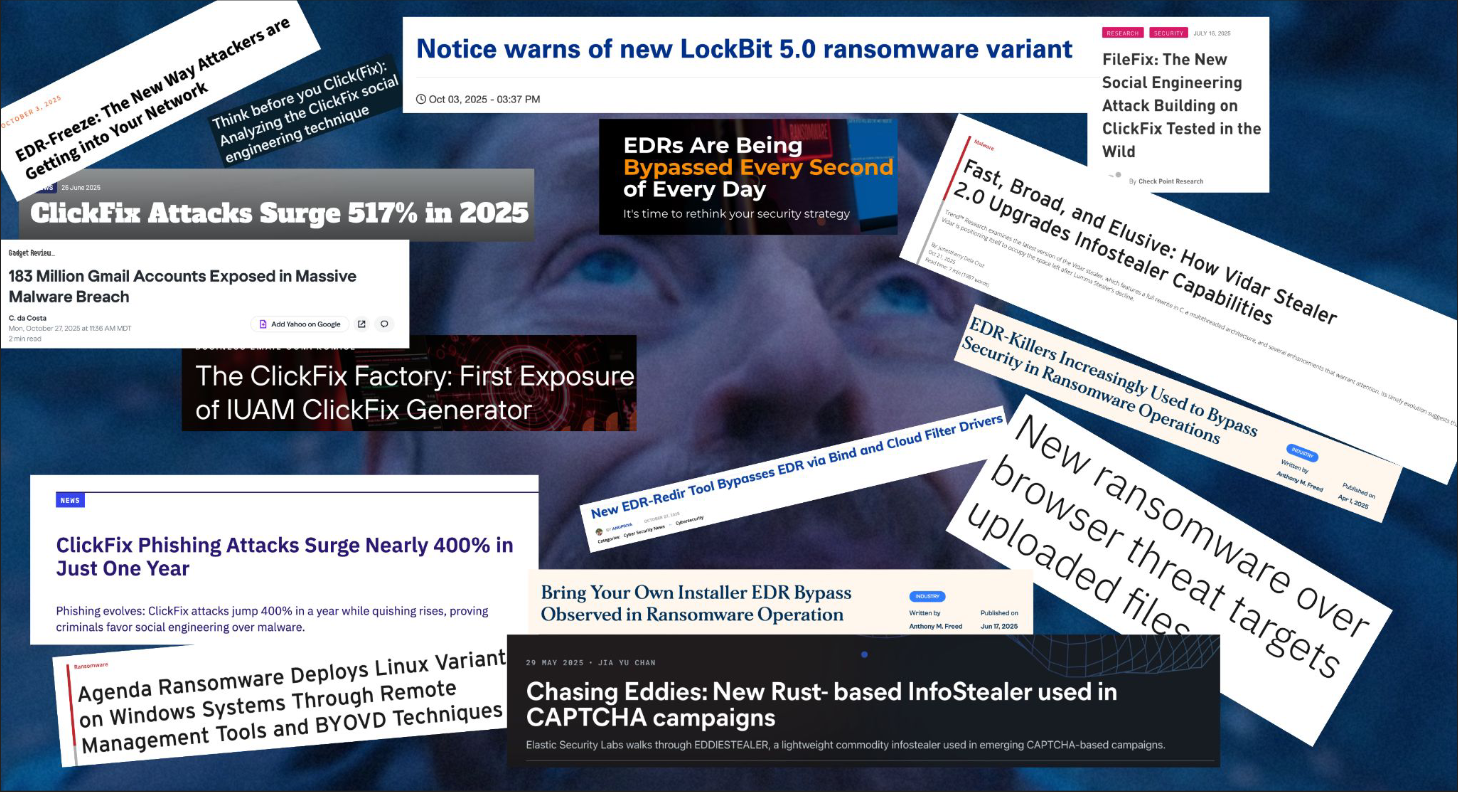
      <img src="/assets/img/posts/detection-chokepoints-where-to-start/de_life.png" alt="A wall of recent security headlines: new ransomware variants, EDR bypasses, infostealers, and ClickFix surges" loading="lazy" />
    </a>
  </div>
  
  <figcaption>A normal week of headlines. This is the job: a new variant, a fresh bypass, another stealer, every single day. You can't ship a detection per headline; chokepoints are how you stop trying to.</figcaption>
  
</figure>

<p>A better way to think about it is to flip the question. Instead of asking what the attacker is
using, ask what part of this they <em>can’t</em> change.</p>

<figure class="post-pixel-art">
  <div class="post-pixel-art-frame">
    <img src="/assets/img/pixel/concepts/chokepoint.png" alt="A steel bear trap with a glowing trigger plate" loading="lazy" />
  </div>
  
  <figcaption>A chokepoint is the one step the attacker can't route around, this is where you can observe their actions.</figcaption>
  
</figure>

<h2 id="wtf-is-a-chokepoint">WTF is a chokepoint?!</h2>

<p>The term comes from military strategy. You force an opponent into a narrow passage they have to
move through to reach their objective, and that bottleneck is where you hold the advantage: they
have traverse the chokepoint in a specific manner. This isn’t a new idea in detection engineering, either.
The chokepoint language I use comes straight out of Matt Graeber’s threat research at Red Canary and Joshua Prager from SpectreOps. Both research methodoligiesa (work through what has to be true for it to succeed,
then find the step the attacker can’t control) resonated with me, and it’s genuinely how I think about
threats now. That step they can’t control is the chokepoint, and it’s where durable detection lives.</p>

<p>Take credential theft from LSASS. There are a lot of tools that do it (Mimikatz, <code class="language-plaintext highlighter-rouge">comsvcs.dll</code>,
ProcDump, Nanodump, the credential-dumping built-ins in just about every C2 framework) and they
all use different code, different syscalls, and different tricks to stay quiet. But every one of
them has to do the same thing:</p>

<blockquote>
  <p>Open a handle to <code class="language-plaintext highlighter-rouge">lsass.exe</code> and read its memory to get at the credential material.</p>
</blockquote>

<p>The kernel mediates that handle. You can’t read the memory without it. The tooling has rotated
for over a decade (the LOLBin era, direct syscalls, handle duplication, BYOVD PPL bypasses) and
that one step never moved. It can’t, because it’s the mechanism of the technique. That’s the
chokepoint.</p>

<h2 id="detection-is-a-game-of-economics">Detection is a Game of Economics</h2>

<p>Anchoring to an invariant isn’t only about durability: it’s about who pays. A detection pinned to
a tool is a free reset for the attacker: rename it, recompile it, swap the whole framework, and your
rule is dead at no cost to them. A detection pinned to the step they <em>can’t</em> skip makes every evasion
attempt cost real engineering time. Time is money on both sides of this, and the whole game is to
spend theirs instead of yours.</p>

<p>The speed to develop more tradecraft at a higher velocity increases each year, even more so now with the wide adoption of LLMs. The 2020 <a href="https://media.kasperskycontenthub.com/wp-content/uploads/sites/43/2022/06/23093553/Common-TTPs-of-the-modern-ransomware_low-res.pdf">ransomware chain</a> was a manual, roughly 10–14-day affair: break in, run discovery, dump
credentials, escalate, move laterally, then deploy. The 2025 version is broker-enabled and squeezed to <strong>under 48 hours</strong>, with whole phases (discovery, recon, often privilege escalation) skipped because someone else already did them. <a href="https://services.google.com/fh/files/misc/m-trends-2025-en.pdf">Mandiant’s M-Trends 2025</a> shows the same thing in aggregate: median dwell time has fallen year over year. Palo Alto’s <a href="https://www.paloaltonetworks.com/resources/research/unit-42-incident-response-report">2026 Unit 42 Global Incident Response Report</a> puts a number on the sharp end of that curve: the fastest quartile of intrusions went from initial compromise to data theft in 285 minutes in 2024, and just 72 minutes in 2025. You have a shorter window to catch an intrusion, so the detection needs to be located where a threat actor needs to make contact with the environment in order to progress to their objective.</p>

<figure class="post-screenshot">
  <div class="post-screenshot-frame">
    <a href="/assets/img/posts/detection-chokepoints-where-to-start/unit42-time-to-exfiltration.png" target="_blank" rel="noopener" aria-label="Open full-size image in a new tab">
      <img src="/assets/img/posts/detection-chokepoints-where-to-start/unit42-time-to-exfiltration.png" alt="Unit 42 quartile chart: first-quartile time-to-exfiltration fell from 285 minutes in 2024 to 72 minutes in 2025" loading="lazy" />
    </a>
  </div>
  
  <figcaption>From the 2026 Unit 42 Global Incident Response Report (Figure 2): the fastest quartile of intrusions reached exfiltration in 72 minutes in 2025, down from 285 the year before. Whatever your detection is anchored to has to fire inside that window.</figcaption>
  
</figure>

<p>Infostealer logs are now a routine first step into a network (<a href="https://www.infostealers.com/article/private-stealing-the-future-infostealers-power-cybercrime-in-2025/">HudsonRock</a>, <a href="https://redcanary.com/threat-detection-report/trends/info-stealers/">Red Canary</a>), and Initial Access Brokers sell that foothold pre-enriched: privilege level, access type, even which EDR is running in the environment (<a href="https://e.cyberint.com/hubfs/IAB%20Report%202025.pdf">Cyberint</a>). The tooling layered on top rotates constantly precisely because it’s cheap and interchangeable, which is the exact reason a detection pinned to it keeps dying.</p>

<p>The RaaS ecosystem has commoditized the entire Ransomware operation pipeline. The UK’s NCSC and NCA
<a href="https://www.ncsc.gov.uk/whitepaper/ransomware-extortion-and-the-cyber-crime-ecosystem">mapped the supply chain</a>:
every function below can be run by a different actor and sold to the others as a service. Specialization is exactly why the end-to-end attack got fast, and it’s also why the tooling at any single stage is so disposable.</p>

<figure class="post-screenshot">
  <div class="post-screenshot-frame">
    <a href="/assets/img/posts/detection-chokepoints-where-to-start/ncsc-raas-ecosystem.png" target="_blank" rel="noopener" aria-label="Open full-size image in a new tab">
      <img src="/assets/img/posts/detection-chokepoints-where-to-start/ncsc-raas-ecosystem.png" alt="NCSC/NCA diagram of the ransomware ecosystem: distribution, stealers, loaders, access marketplaces, initial access brokers, affiliates, and RaaS operators on top of shared financial, hosting, and anonymisation services" loading="lazy" />
    </a>
  </div>
  
  <figcaption>The ransomware service economy, from the NCSC/NCA white paper 'Ransomware, extortion and the cyber crime ecosystem' (2023, Figure 2). Each box is a separate business. The boxes change vendors constantly; the workflow between them is the part that holds still.</figcaption>
  
</figure>

<p>When focusing on chokepoints, unrelated threats naturally overlap on the same invariant steps. One detection placed there covers many actors at once, and one log source ends up catching many techniques: you pay the engineering cost once, on the part that can’t change, instead of re-paying it for every renamed tool. And because you’re reasoning about what <em>has</em> to be true for the technique to work, you can usually see the next variation coming before it even has a name.</p>

<p>That’s the bet the whole project makes: when the tooling rotates and the TTPs evolve, the chokepoint
remains.</p>

<h2 id="cataloguing-chokepoints">Cataloguing Chokepoints</h2>

<p><a href="https://iimp0ster.github.io/detection-chokepoints/">Detection Chokepoints</a> is a free, open
knowledge base built around that one question, applied across techniques. Right now there are 13
chokepoint entries spanning six ATT&amp;CK tactics (initial access, execution, defense evasion,
credential access, lateral movement, and persistence) with more on the way.</p>

<p>Each entry isn’t a single rule. It breaks the technique down to its invariant, the observable
that exposes it, the log sources that cover it, and the actual detection logic. And the rules come
at three maturity tiers, because where you deploy a detection matters as much as whether it’s
correct:</p>

<table>
  <thead>
    <tr>
      <th>Tier</th>
      <th>What it’s for</th>
    </tr>
  </thead>
  <tbody>
    <tr>
      <td><img class="tier-badge" src="/assets/img/pixel/tiers/research.png" alt="" /> <strong>Research</strong></td>
      <td>Broad baseline, high noise: for establishing visibility, not for alerting</td>
    </tr>
    <tr>
      <td><img class="tier-badge" src="/assets/img/pixel/tiers/hunt.png" alt="" /> <strong>Hunt</strong></td>
      <td>Behavioral context, moderate noise: for periodic sweeps and analyst triage</td>
    </tr>
    <tr>
      <td><img class="tier-badge" src="/assets/img/pixel/tiers/analyst.png" alt="" /> <strong>Analyst</strong></td>
      <td>Production-ready, low noise: for the alert that pages someone</td>
    </tr>
  </tbody>
</table>

<p>The tiers exist because the most common way a good detection idea dies is someone dropping the
high-fidelity rule straight into an environment that was never baselined, drowning in false
positives, and ripping it out. Start at Research, learn what normal looks like in your
environment, then refine as needed.</p>

<figure class="post-pixel-art">
  <div class="post-pixel-art-frame">
    <img src="/assets/img/pixel/concepts/attack-chain.png" alt="A ball-and-chain chomp creature straining to break its chain" loading="lazy" />
  </div>
  
  <figcaption>Attack Chains: where different actors strain toward the same link. That overlap is where you start.</figcaption>
  
</figure>

<p>Beyond the chokepoint entries, <strong>Attack Chains</strong> look at where unrelated actors converge on the
same kill-chain stage: when several groups all route through the same step, that overlap is your
priority, because the adversaries effectively voted on it for you.</p>

<h2 id="trends">Trends</h2>

<figure class="post-pixel-art">
  <div class="post-pixel-art-frame">
    <img src="/assets/img/pixel/concepts/trends.png" alt="A cresting wave with foam" loading="lazy" />
  </div>
  
  <figcaption>Trends: what's accelerating in the landscape. Read the wave and tune the Hunt-tier rule before it breaks, not after the incident.</figcaption>
  
</figure>

<p>Chokepoints tell you what a threat actor can’t change or is expensive to change; Trends tell you what’s <em>moving</em>. This section is data-driven analysis of how the landscape is shifting (which delivery families are accelerating, which evasions
are showing up, which variant is about to become the dominant one) so you can tune the Hunt-tier rule before the wave instead of after the incident.</p>

<p>The methodology that ties all of it together lives in the <strong>Framework</strong> section: every technique
gets worked through the same three questions: what’s its <em>scope</em> (one technique, or a chain of
them?), what <em>variations</em> exist or could plausibly exist, and what <em>prerequisites</em> have to be true
for it to work at all. That last question is where the chokepoint falls out: the prerequisite that
can’t be designed away. We’ll dive deeper into Attack Chains and Trends in a future post.</p>

<h2 id="case-study-clickfix">Case Study: ClickFix</h2>

<p>The idea crystallized for me with ClickFix. The ClickFix threat has dominated headlines for the past few years
<a href="https://www.huntress.com/blog/dont-sweat-clickfix-techniques">Huntress</a>, and the variants just
kept coming: FileFix, TerminalFix, DownloadFix, each with a different lure. If you only pay attention to the variations,
you’ll be chasing them forever. But step back and they all funnel through the same place: a user
is talked into running a command, a scripting interpreter executes it under <code class="language-plaintext highlighter-rouge">explorer.exe</code> or a
browser process, and a second stage comes down from the network. Detect that shape and you catch the
variants that haven’t been named yet. If you want to see what that looks like as an actual entry
(the staged detections, the Sigma rules, the emulation script) I walked through the ClickFix one
<a href="/blog/inside-a-chokepoint-entry/">here</a>.</p>

<h2 id="where-to-start">Where to Start</h2>

<p>None of this replaces keeping up with tooling. But if you’re underwater and don’t know where to
begin, start with what the attacker can’t avoid. Pick a chokepoint, deploy the Research-tier rule,
watch it for a week to learn your noise, and climb the tiers from there. When the tool rotates
next month, your detection is still sitting on the part that can’t change.</p>

<p>If you’ve reverse-engineered a technique down to its invariant, please contribute!
<a href="https://iimp0ster.github.io/detection-chokepoints/"><strong>Detection Chokepoints</strong></a>.</p>]]></content><author><name>Tyler Bohlmann</name></author><category term="detection" /><category term="chokepoints" /><category term="sigma" /><category term="threat-hunting" /><category term="attack-chains" /><summary type="html"><![CDATA[A free, open knowledge base built around one question: what can't the attacker avoid? Anchor your detections there instead of to the tool of the week.]]></summary><media:thumbnail xmlns:media="http://search.yahoo.com/mrss/" url="https://playingwithpackets.com/assets/img/social/og.png" /><media:content medium="image" url="https://playingwithpackets.com/assets/img/social/og.png" xmlns:media="http://search.yahoo.com/mrss/" /></entry></feed>